INI & Custom Settings
Configuration settings for Radiant Genesis to customize mod behavior on your server
🛠️Custom Settings Content
This section is loaded from mod configuration data for fine-grained custom page content.
Overview
Radiant genesis does not use INI settings and instead the mod can be fully configured from the admin menu accessable by holding down R
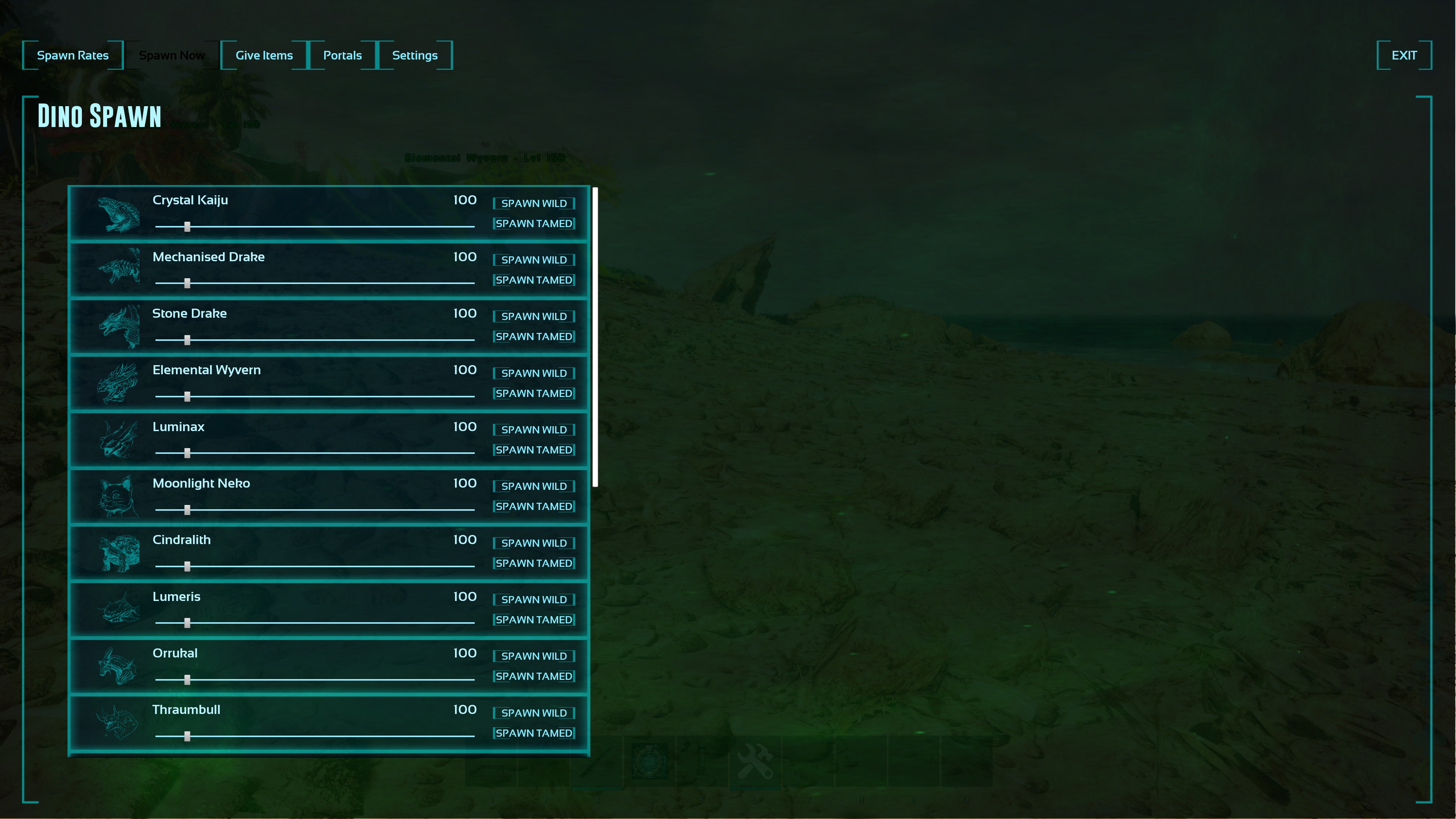
Radiant Admin Menu
Content
Hold down R on PC or X or Square for your console of choice to bring up the menu. For additional info see the video at : https://www.youtube.com/watch?v=RI1Osi99azc
Notes
• When adjusting dino spawn limits remember to hit the save button.
• When adjusting mod settings remember to hit the save button.
💡Configuration Tips
📁 File Locations
Windows:
C:\Program Files (x86)\Steam\steamapps\common\ARK Survival Ascended Dedicated Server\ShooterGame\Saved\Config\WindowsServer\Linux:
~/Steam/steamapps/common/ARK Survival Ascended Dedicated Server/ShooterGame/Saved\Config\LinuxServer\⚠️ Important Notes
- •Always backup your configuration files before making changes
- •Restart your server after modifying INI files
- •Some settings may require server validation to be disabled
- •Test settings on a development server first